Last updated: July 2026
Place the Keycaps! — How to Play
Learn how to play Place the Keycaps! on Roblox: sorting keycap piles, throwing with Q, completing keyboard collections, and beta basics.
Core Game Loop
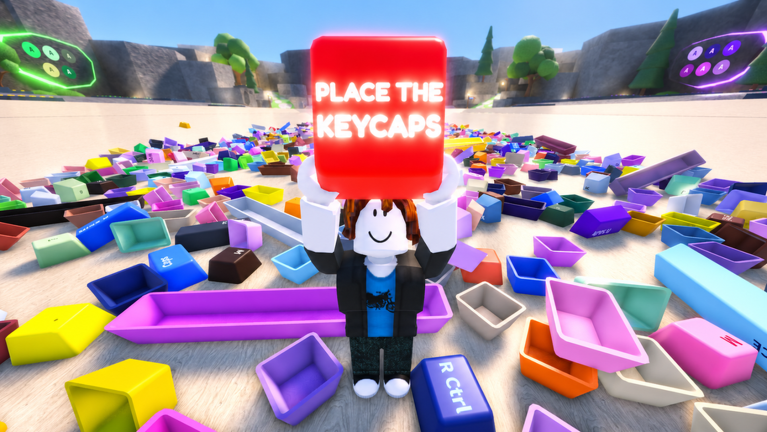
Place the Keycaps! by KEYBOARDS!!!!! is a Roblox sorting puzzle. You repeatedly move keycaps from messy piles onto correct keyboard layouts until full sets register in your collection. There is no tycoon income loop — your progress comes from physical organization skill and catalog completion.
Each session starts at the hub near piles and assembly stations described on the map page. Grab caps, carry or throw them to slots, confirm placements, and check collection UI for missing silhouettes. When a keyboard completes, pick a new target from the tier list or personal aesthetic goals.
Beta saves may reset between major updates. Treat collection as practice plus memory until launch stability is announced. See beta tips for wipe expectations.
Essential Controls
PC players use Q to throw held keycaps and CTRL to unlock the mouse for camera adjustments. Full bindings are on the controls page. Mobile players use touch equivalents on the mobile controls page.
Movement uses standard Roblox walking. Position yourself between pile and keyboard to minimize travel. Throw when standing still for precision on small legends.
First-time players should complete the walkthrough once before grinding rare sets — it teaches row order and first completion celebration.
Sorting Strategy Overview
Work piles top-down, clearing large modifiers and spacebars before tiny alphas clog sightlines. Stage wrong-color caps away from active boards. Detailed methods live in the sorting guide.
Match layout type to station — full-size versus compact boards — before investing caps. Wrong station choice wastes travel even if individual keys fit visually.
Use collection silhouettes as checklists from the collection guide. Hunt missing legends deliberately instead of random pile grabs.
Throwing for Speed
Q throws bridge distance between pile edges and distant slots. Master short throws first, then chain pickups without overwalking. The dedicated throw guide covers arcs, misses, and mobile differences.
Throws are optional for every cap but become mandatory for efficient clears once piles deepen. Skill expression lives in throw accuracy more than menu navigation.
If misses cluster, pause to CTRL-unlock camera, zoom, and reset stance. Frustrated spam throwing buries caps under pile physics.
Progression and Optional Systems
Codes may arrive post-beta on the codes page; none are required to play. Events on the events page may add limited cosmetics. Avoid scripts per the scripts warning.
Multiplayer servers share piles cooperatively. Pick quieter servers for focus or bring friends for shared learning. Read the review for who enjoys long-term catalog chasing.
How to play ends at understanding the loop: sort, throw, complete, repeat. Depth emerges from personal efficiency and collection goals, not hidden paywalls in current beta.
Learning Curve and Milestones
First-hour players should focus on one pile and one board type. Second-session players can introduce Q throws for large keys only. Third-session players begin silhouette hunts using collection UI as described in the collection guide.
Milestone celebrations matter for motivation: first completed row, first modifier pair, first full keyboard, first rare colorway placed. Screenshots document beta memories if saves wipe later.
When teaching friends, demonstrate CTRL unlock before throws — new PC players often fight the camera instead of adjusting it. Co-op teaching spreads etiquette that keeps public servers pleasant during peak hours.
Return to this guide after major patches in case KEYBOARDS!!!!! adds new objectives like daily streaks or collection milestones layered atop the core sorting loop.