Last updated: July 2026
Place the Keycaps! — How to Sort Keycaps
Advanced keycap sorting strategies for Place the Keycaps! on Roblox: pile order, row priority, staging, and efficient keyboard matching.
Pile Psychology
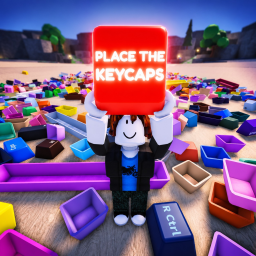
Sorting in Place the Keycaps! is not random pickup — it is layered excavation. Top caps hide shapes beneath. Always clear visible large keys first because they block line-of-sight to alphas and create physics wobble when thrown onto unstable stacks.
Identify target set colorways before diving in. If your collection goal is a blue themed board, pre-filter blue caps into a staging zone even if slots are not ready. Color batching beats repeatedly scanning the entire pile per key.
When multiple players share a pile, take turns on top layers or split color batches verbally. Chaos slows everyone in cooperative servers.
Row and Priority Order
Place spacebars and long modifiers early while the board is empty. These caps occupy the most area and define layout boundaries. Enter and Shift keys anchor rows for alpha placement between them.
Function rows sit above alphas on standard boards — completing F-keys after modifiers but before number row works well for many players. Arrow clusters on compact boards may be last due to tight grouping.
Consult collection silhouettes from the collection guide to invert priority when only a few legends remain.
Staging and Error Recovery
Wrong caps on an active board cost more time than a dedicated mistake pile. Remove errors immediately before they blend with correct neighbors sharing similar gray dyes.
Use map staging tables noted on the map page for caps that belong to future sets. Label mentally by colorway or row to avoid re-sorting staging heaps later.
If physics knocks placed caps loose during beta, fix board stability before fetching new caps. Wobble indicates overcrowded adjacent slots or uneven desk collision.
Combining Walk and Throw
Walk for precise small-key placement at the board. Throw from pile edge for medium and large keys crossing distance. The throw guide details when each mode wins.
Minimize round trips: pick up the next cap while planning path to slot before leaving pile radius. Idle walking is the silent time killer in sorting puzzles.
CTRL unlock camera adjustments between bursts — documented on controls — keep legends readable under pile shadows.
Advanced Beta Tactics
During respawn waves, rush fresh tops for rare spawns noted on the tier list. Camp ethically without hoarding entire piles solo in crowded servers.
Track undocumented caps with screenshots for the items page wiki — recognizing rare legends early prevents selling them into wrong sets metaphorically via misplacement.
Pair sorting discipline with session limits to avoid fatigue misclicks. Quality sorts beat marathon burnout documented in beta tips.
Sorting Under Time Pressure
Event piles and respawn rushes reward calm sorting over frantic grabbing. When timers appear during future events, maintain top-down discipline anyway — one wrong-row alpha costs more seconds than a deliberate large-key placement.
Voice chat with friends can coordinate color batches without overlapping throws into the same slot. Call out modifier placements before alphas fill gaps between them.
If pressure triggers misclicks, switch to walk-only placement for five minutes. Accuracy recovery beats maintaining a streak of failed throws during competitive moments.
Seasoned sorters keep a mental map of which pile currently spawns their target colorway — rotate piles when spawn bias shifts after documented beta patches.