Last updated: July 2026
Place the Keycaps! Review
Honest review of Place the Keycaps! on Roblox: beta sorting puzzle gameplay, controls, collection goals, and who should play.
First Impressions
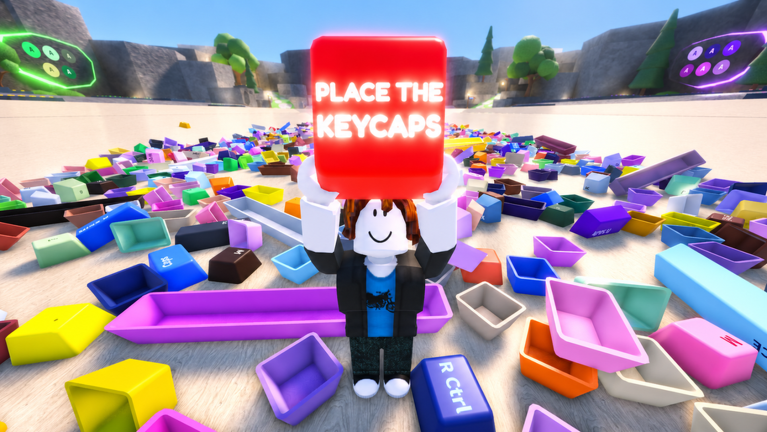
Place the Keycaps! arrives as a focused sorting puzzle on Roblox from KEYBOARDS!!!!!, not another incremental tycoon wearing a keyboard skin. The pitch is simple: dive into chaotic keycap piles, match caps to real layouts, and build a collection that would make a mechanical keyboard enthusiast nod. That clarity helps the game stand out in a genre crowded with idle money sims.
Beta polish is uneven in the way most Roblox betas are. Physics wobble, pile clipping, and mouse-lock quirks appear, but the core loop — grab, sort, throw with Q — already feels distinct. Players who enjoy physical organization puzzles will forgive rough edges faster than players seeking narrative or combat.
Presentation leans playful exclamation marks and bright desk aesthetics rather than hyper-realism. Readable legends matter more than ray-traced plastic, and the art direction generally supports gameplay readability when lighting cooperates.
Gameplay and Sorting Depth
Depth comes from pile management and layout knowledge, not complex skill trees. You learn row shapes, modifier widths, and throw arcs. Expertise resembles speedrunning a closet sort rather than grinding levels. The sorting guide captures techniques that separate chaotic sessions from smooth clears.
Collection completion adds long-term goals beyond one pile. Catalog chasing suits completionists who liked cleaning simulators or puzzle catalog games. Casual players can stop after a few boards without feeling penalized unless future updates add heavy competitive leaderboards unannounced.
Multiplayer is cooperative by default — shared piles, shared stations — which helps friends learn together but frustrates solo grinders during peak hours. Server choice becomes a meta skill.
Controls and Platform Feel
PC controls are minimal and memorable: Q throw, CTRL unlock. That low barrier helps streamers explain the game in one sentence. Precision still demands practice; the controls page and throw guide exist because Q mastery is the skill ceiling early on.
Mobile is playable but tighter rows suffer on small screens. Tablet players fare better. Cross-platform parity is acceptable for beta, not yet exceptional.
No controller-first design is evident. Keyboard and mouse remain the recommended experience for serious collection pushing.
Beta Limitations and Future Potential
Codes, events, and item databases are sparse — see codes and events pages for honest status. Saves may reset; treat rare caps as memories as much as possessions until launch stability arrives.
Potential lies in themed seasons, co-op pile raids, and artisan cap hunts without breaking the non-tycoon identity. KEYBOARDS!!!!! should resist turning sorting into passive income; the niche is the puzzle.
Update cadence will decide retention. Small quality patches to physics and UI beat giant feature dumps that break throw timing players learned muscle memory for.
Verdict — Who Should Play
Play Place the Keycaps! if you like satisfying sort mechanics, keyboard aesthetics, and low-complexity controls with high manual skill ceiling. Skip it if you need story campaigns, combat, or tycoon optimization spreadsheets.
Rating during beta is provisional: solid concept, execution still maturing. Revisit this review after launch codes, expanded maps, and collection persistence confirm direction.
Start with the walkthrough and how to play guide before judging depth — first ten minutes look simpler than fifty hours of catalog chasing will feel.
Accessibility and Comfort
Sorting sessions run long. Adjust chair height, mouse sensitivity, and break timers before marathon collection pushes. Physical comfort directly affects throw accuracy documented in control guides.
Colorblind players may struggle with similar gray legends. Rely on shape profiles and slot outlines as much as hue. Request future accessibility options from KEYBOARDS!!!!! constructively if contrast fails specific sets.
Audio cues in beta may be minimal. Do not depend on sound alone for placement confirmation — watch visual snap feedback on slots instead.